DailyTasks
During my studies I got curious about coding mobile apps, so I decided to learn Android development. However, it was hard to maintain that knowledge since I was mostly working with frontend web technologies. I created this to-do app to check if React Native suited me better than Android Java.
- Type
School assignment
- Stack
React Native
Expo
Firebase
- Source code
- Github
Purpose / Goals
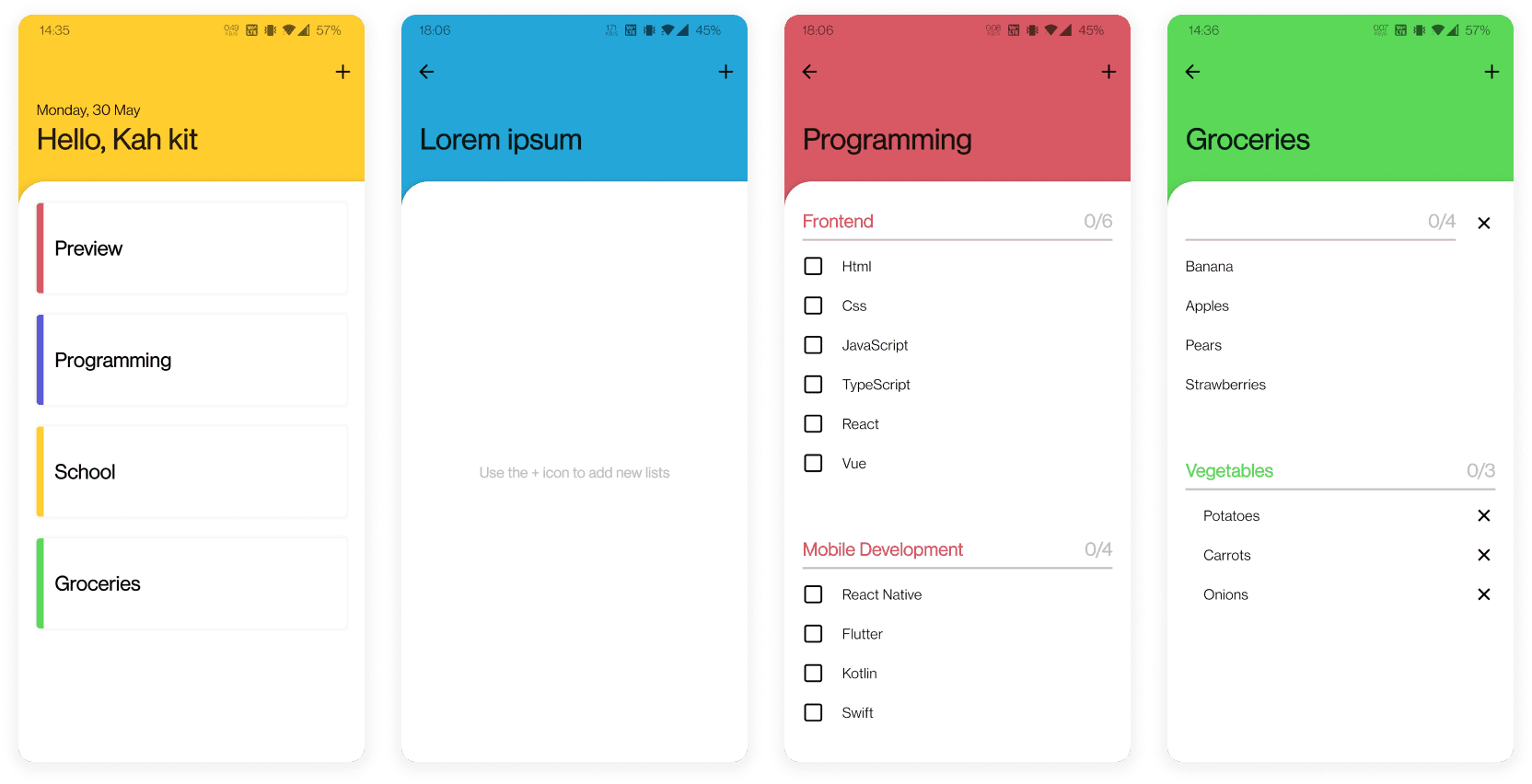
For this project I needed something simple, so I went with a to-do app. It's something I used a lot during my last internship. I am aware that it is nothing fancy, but it is enough for me to get a first impression of how React Native works. In this app you can find your tasks in a folder. Each folder has at least one list where you can view and manage your tasks.
Tech Stack
Since I have almost no experience with mobile development. I decided to use React Native with Expo, because it would simplify the setup of the app for me.
I also wanted to store my tasks online so I can use the app on multiple devices. Firebase looked like the right choice for this. Not only was it free, it also provided a NoSQL database and a built-in authentication provider that supports email, google, and more.
Problems I've faced
From my experience React Native isn't that much different from React (who would have guessed that huh). Yes there are subtle differences from how you write the layout and styling, but the transition was less difficult than I thought. It was more about figuring out what components I should use instead of the usual HTML elements.
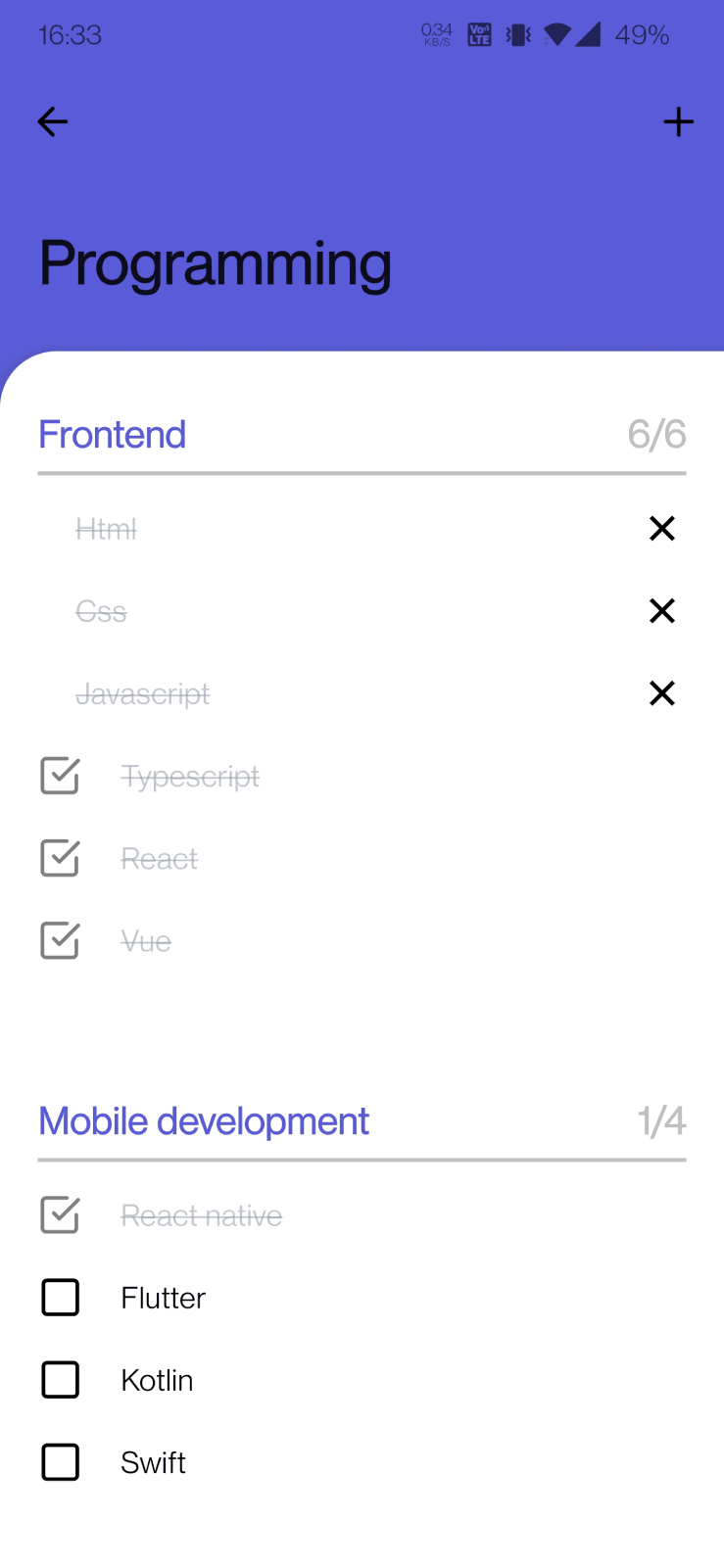
Where I did struggle on was working on the interactions and gestures of this app. I wanted to make this app look minimalistic by hiding as much call to action as possible. For example the way to create a new task is hidden in plain sight. The user might think they see white space at the end of the list, but it is in fact an input field. Pressing the whitespace shows a new checkbox with the cursor blinking, indicating the user that the app is ready to take note of a new task.
The same applies for deleting tasks. I didn't want to show the delete button for every tasks that was rendered. So I needed to figure a way out to hide it. After fiddling around with the swipe gestures, I managed to display the delete button only when the user wants to.
Future plans
I think React Native is a good fit for me. Even though I don't do a lot of mobile development, React Native looks easy enough for me to jump back on if I wanted to.
The app is not completely finished yet, since there are still features missing. One of the most important one is sorting tasks. Another one is to support multiple input types. Now you can only add checkboxes, but I want to also support images or text. Lastly lists in a folder should be optional.